2006-05-31

So today I went to Peet's, bought some coffee, got my change and walked back to the office. I was checking out the Washingtons in my wallet and this stamped message caught my eye.


I looked up www.wheresgeorge.com and discovered this neat site. I'm sure everyone has had this idea once before, but someone actually took the time to implement it. This site is almost 8 years old and I've never heard of it until now. Anyway, the bill I got from Peet's in San Francisco actually came from Seattle. It was entered into the Where's George database back in March 2005. If anyone else out there has tracked currency using Where's George, I'd be interested to hear how far away your bill traveled.

2006-05-16

Apple MacBook First Look

I'm going to go to the Apple Store tomorrow and post some personal comments about the new MacBook...I can't wait!

read more | digg story

2006-05-15

So today one of those rare Linux moments happened to me. I was troubleshooting a box with some processes in the uninterruptible wait state and wouldn't die. The box was unable to access mounted network filesystems so I decided to reboot it so I could start troubleshooting from a clean state...only it wouldn't take my shutdown, reboot, or init 6 commands. I *could* have bugged the colo monkeys and requested a reboot, but then I remembered the Magic SysRq key that my manager enlightened me about a couple months ago.

If enabled in the Linux kernel, you can take back control of your system no less than three ways.

1) If you're on the console you can press the magic key sequence ALT-SysRq-[command key] You can look up the different command keys and read more about SysRq here Or if you have the kernel source handy just look for sysrq.c

2) If you are on the console or are connected over the network (such as via ssh) you can also echo the command key characters to /proc/sysrq-trigger (which is what I ended up doing)

3) Marek Zelem wrote an iptables module that even lets you send the magic SysRq command keys over the network. Now that's cool!

2006-05-09

So here's my first video tutorial that I made using our Canon Powershot S400 and iSight (for the narration). The editing was done in iMovie HD. I've never used a stovetop espresso maker before, so I figure this might help someone else who might be interested in buying one but isn't really sure if it's for them. The Bialetti Mukka Express makes a pretty decent cappuccino (it also has instructions for making a cafe latte but I found it to be a little too weak tasting when I tried it). It's not as good as a professional grade espresso machine of course, but it costs under $100 and tastes just as good (maybe better) than that $3 cup of Starbucks...so in one month it'll pay for itself.

2006-04-28

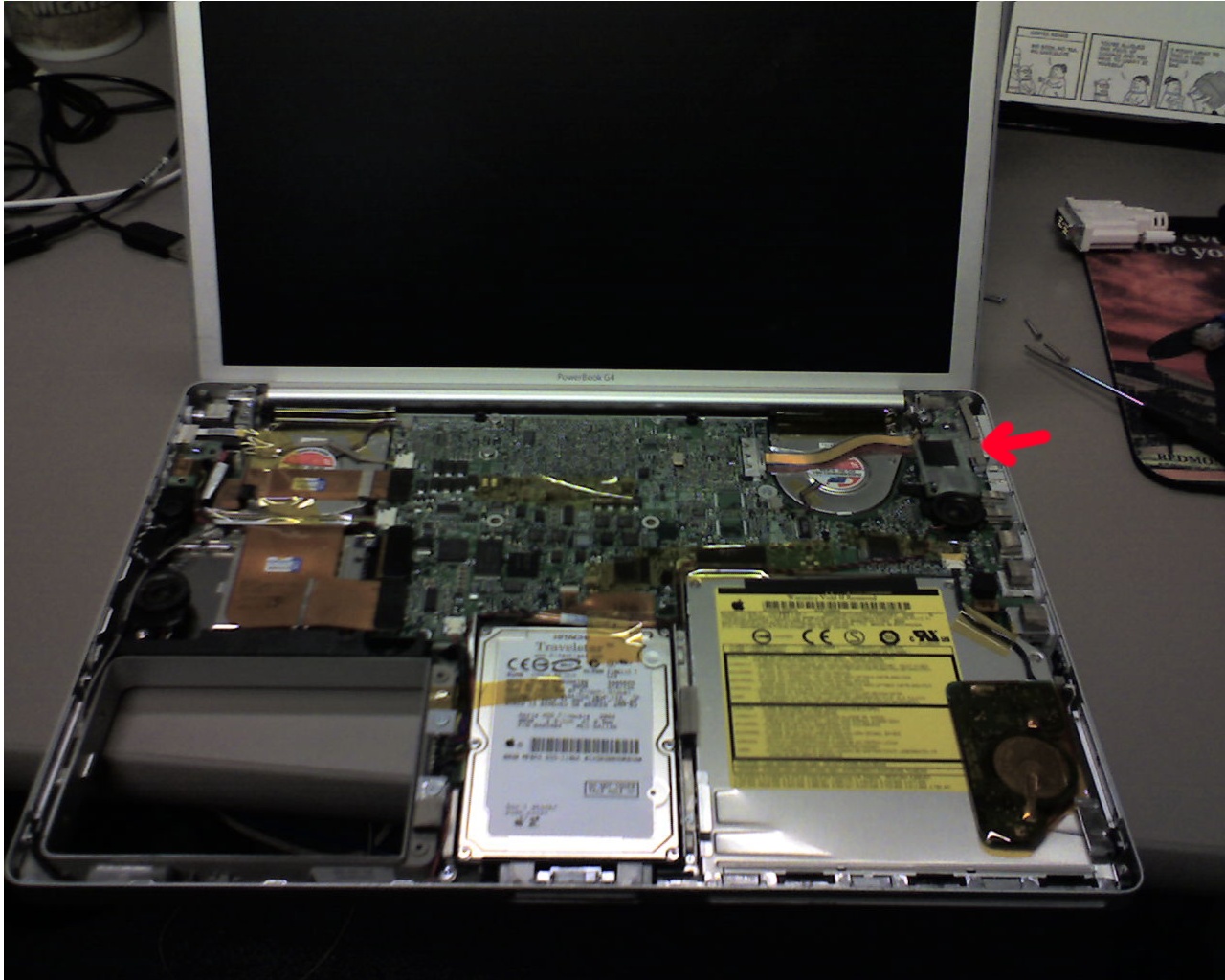
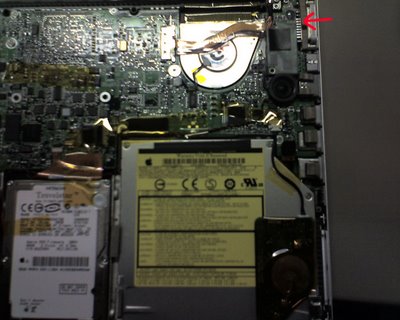
OK the mystery of the narcoleptic PowerBook has been solved. I searched high and low and I've tried every suggestion that I found to no avail. Finally I broke down and opened the PowerBook up to tinker around inside I noticed that the sleeping issue often happened when I applied some pressure on the right side of the keyboard, like right below the power button. This is the area that I'm talking about:


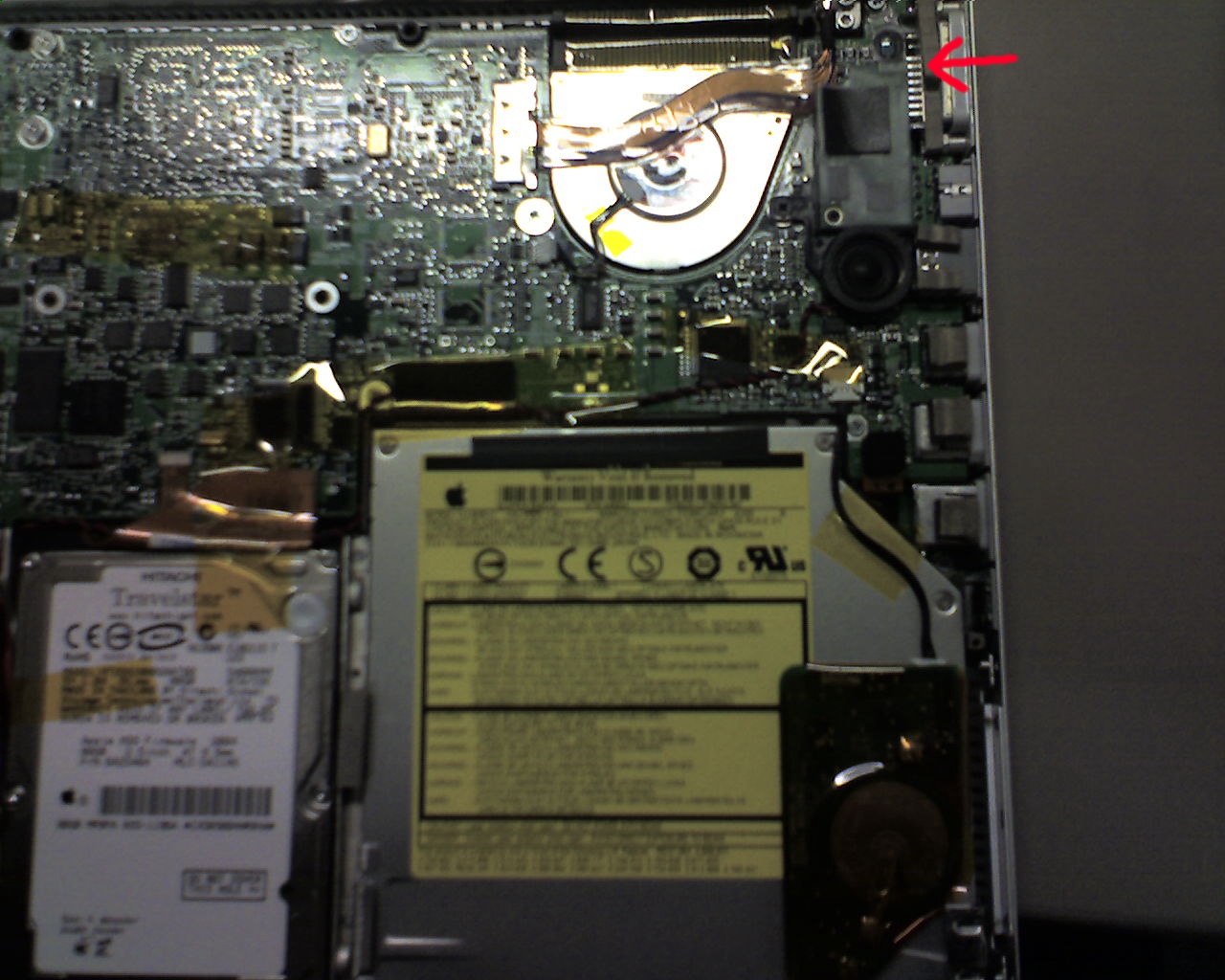
And a slightly closer pic:


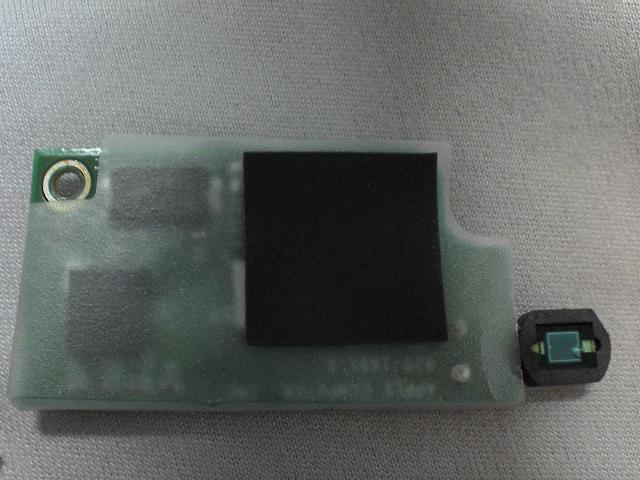
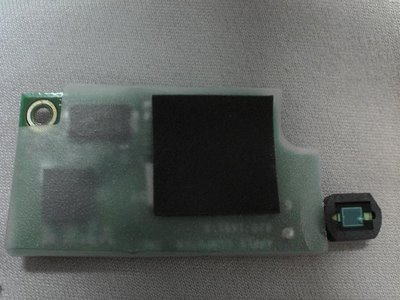
This is one of the two ambient light sensors that is supposed to automatically adjust the backlit keyboard and screen brightness depending on the ambient light. Oh yeah, it also causes the laptop to spontaneously go to sleep at the absolute worst time. :-/


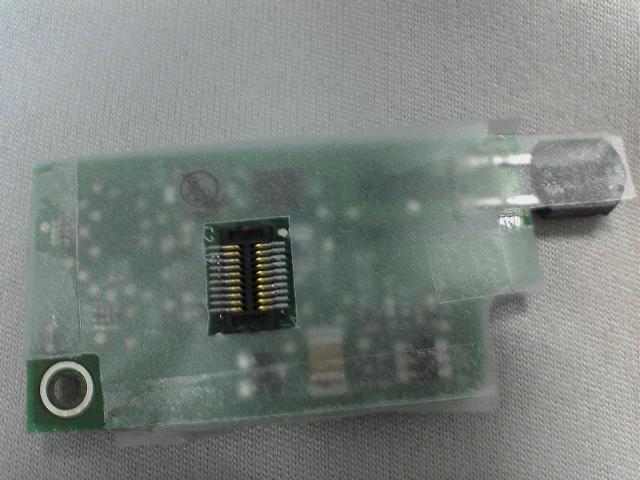
The sensor has these high density pins on the bottom:
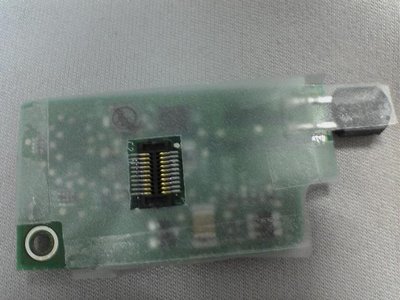


I still don't know if it's just a defective sensor, or if it's losing its connection to the logic board sometimes and causing the system to freak out. All I know is my backlit keys stopped working a long time ago and I don't really miss it, and I like to max out my screen brightness so this sensor is now sitting on my desk at work until further notice. So far, removing it seems to have fixed the problem. The other thing I noticed that's changed is the strobing led on the lid button is now functioning again. I didn't even notice that it wasn't working before, but now when I close the lid and put the PowerBook to sleep the led strobes like it should be.

I've seen lots of posts on the Internet describing the same symptoms I have, but I have yet to read someone suggesting the ambient light sensor was the cause. I hope my case was not unique, and this can help someone else out there.